How Much Mobile Data Do You Need in UAE? (2026)

Written byZaib Azhar✓
August 10, 20267 min read
Most people do not need to start by looking for the biggest mobile-data bundle. The sensible starting point is your own usage over the last 28 to 31 days. Check which apps used mobile data, separate that from Wi-Fi use, then choose a plan with a modest buffer. This avoids paying every month for unused gigabytes or buying expensive emergency add-ons after running out.
For UAE residents, a small prepaid allowance can be enough when home and work Wi-Fi cover most of the day. Regular commuting, social video, hotspot use, video calls and streaming can change that quickly. Once you know your range, compare the suitable options in our best prepaid mobile plans in UAE guide.
Quick Answer: Start With Your Last Month of Mobile Usage
Use your phone's built-in data counter to see mobile-data use for the previous billing cycle. Add a buffer of roughly 10% to 20% for unusual days, then select the nearest plan size above that figure. Do not include Wi-Fi use in the calculation: a person who watches videos mostly at home may need far less mobile data than their screen time suggests.
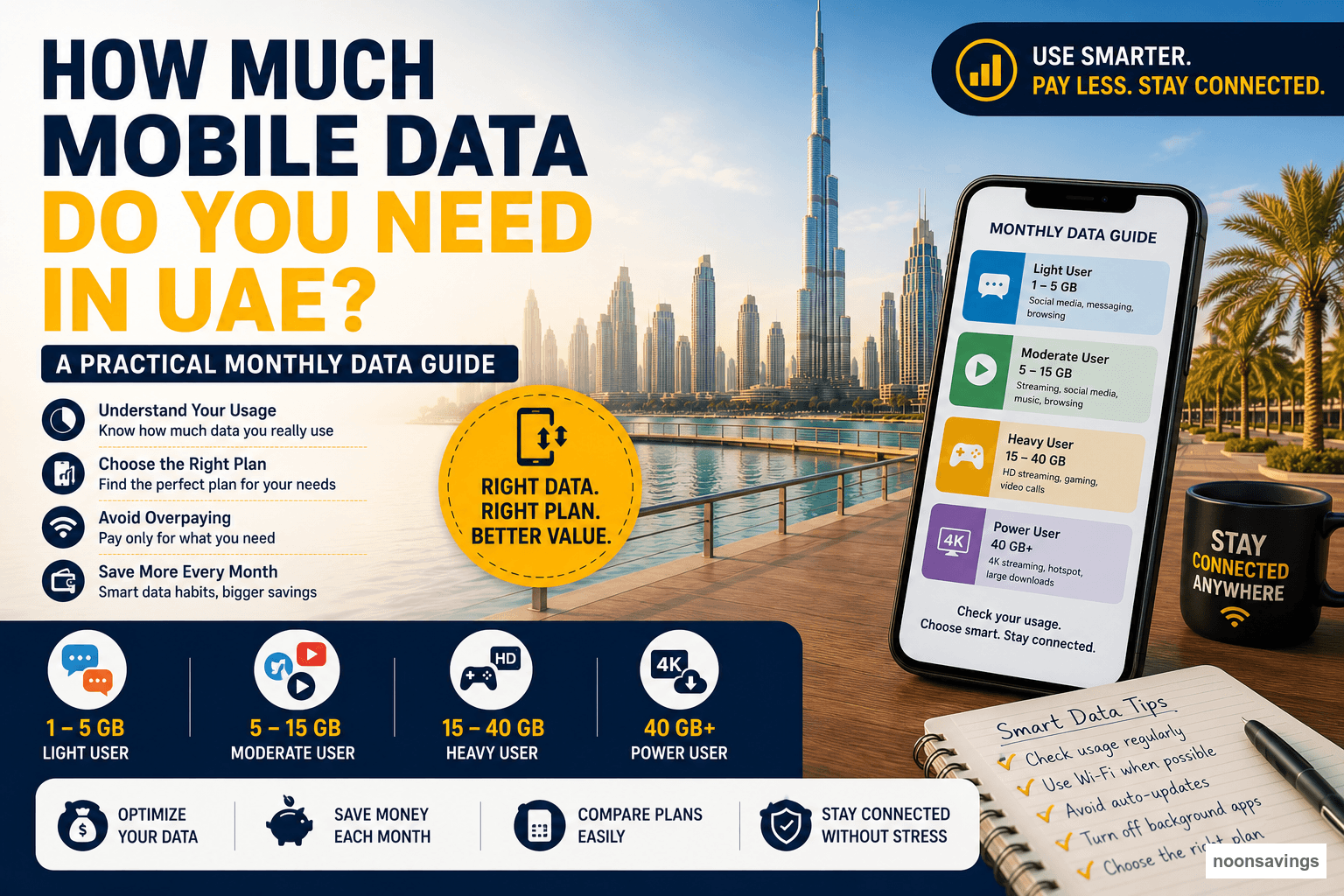
| Your typical pattern | Practical starting range | What to check before choosing |
|---|---|---|
| Mostly Wi-Fi; messaging, maps and occasional browsing outside | About 1-3GB per month | Background updates, navigation and whether your line needs minutes too |
| Daily commute; social feeds, music and regular maps | About 3-8GB per month | Video autoplay and whether social data is separate from full data |
| Frequent short videos, video calls or laptop hotspot use | About 8-15GB per month | Whether video calling and hotspot use are included in the stated allowance |
| Heavy streaming, gaming downloads or regular hotspot work | 15GB+ per month | Fair-use limits, speed after the allowance, and the cost of add-ons |
These are planning ranges, not a substitute for your usage history. One high-quality video stream, cloud backup or laptop update can use more data than days of messages and maps.
How to Check Your Real Mobile-Data Use
On iPhone, open Settings > Cellular to see which apps have used cellular data. Apple also lets you disable cellular access for individual apps and reset statistics at the start of a new plan cycle. See Apple's cellular-data instructions for the current steps.
On Android, menu names differ by manufacturer, but look for Settings > Network & internet or Connections > Data usage. Set the billing-cycle date to match your operator renewal date and enable a warning below your plan limit. Google notes that carrier availability and plan information can differ by network, so the operator app remains the final source for remaining allowance and charges.
- Record the total mobile data used for the last full cycle.
- List the top three apps by cellular use.
- Check whether the number includes a one-off download, travel day or hotspot session.
- Choose a plan just above a normal month, not an exceptional month.
- Recheck after one renewal before committing to a longer-term offer.
What Uses Mobile Data Fastest?
Video is usually the first place to investigate. Short-form feeds can autoplay video for long periods, and high-resolution streaming, live video calls, cloud-photo uploads and laptop hotspots can consume data much faster than messaging or reading. This does not mean you need to stop using them; it means the plan should match the way you use them away from Wi-Fi.
- Usually light: text messaging, email without large attachments, maps used occasionally and browsing.
- Often moderate: music streaming, frequent social feeds, navigation and standard-quality calls.
- Often heavy: HD video, social-video autoplay, uploading photos or videos, hotspotting a laptop and software downloads.
Choose Data, Minutes and Validity Separately
Do not compare plans using only the headline gigabytes. Check these five points together:
- Validity: a 28-day plan is not identical to a calendar-month plan across a year.
- Full data versus social data: social allowances may not cover maps, banking, work apps, tethering or all video use.
- Minutes: choose local or Flexi minutes only if you will use them; otherwise a data-led option may be better value.
- Out-of-bundle charges: know whether data stops, slows, or continues at a standard rate when the allowance ends.
- Renewal and cancellation: confirm whether the plan auto-renews and how you can change it next cycle.
For example, du describes Prepaid Flexi as a plan where customers choose data and minutes and can change the combination, while e& offers Wasel prepaid and Flexi options. Exact bundles and promotions can change, so use the operators' live pages and apps to confirm the final price and inclusions: du Prepaid and e& Wasel prepaid.
Simple Ways to Make a Smaller Plan Last
- Download playlists, podcasts and maps over Wi-Fi before leaving home.
- Set video apps to lower quality on cellular data and turn off autoplay where possible.
- Allow photo backup, system updates and large app downloads only on Wi-Fi.
- Turn off cellular data for the one or two apps that repeatedly appear at the top of your usage list.
- Use your phone's data warning before the final 10% to 20% of the allowance, not after it is exhausted.
These habits are useful only if they do not make the phone less practical for work, safety or family contact. The goal is a plan that fits your life, not the smallest possible allowance. For other recurring-cost decisions, see our Dubai money-saving guide and these practical UAE saving tips.
Common Mistakes When Choosing a UAE Mobile Plan
- Buying a large bundle because of one unusually data-heavy month.
- Assuming "unlimited" means full-speed data without checking fair-use or speed terms.
- Confusing social-data allowances with unrestricted national data.
- Ignoring a plan's 28-day validity and comparing it as if it were a full calendar month.
- Forgetting that a hotspot can turn a phone plan into a laptop-work plan very quickly.
- Renewing an old plan without checking current offers in the operator app.
When a Prepaid Plan Is Not the Best Fit
Prepaid works well for predictable control and flexibility, but it is not automatically cheapest. A postpaid plan may suit someone with stable heavy data use, employer reimbursement, device financing or a benefit that genuinely offsets the higher monthly fee. Compare the total monthly cost, contract period and out-of-bundle rules, rather than choosing prepaid or postpaid by label alone.
Frequently Asked Questions
Is 5GB enough for a month in the UAE?
It can be enough if you are mostly on Wi-Fi and use mobile data for messaging, maps, browsing and occasional music. It is less likely to be enough if you watch a lot of video, use social-video feeds heavily or work through a hotspot. Check your last month first.
Is 10GB enough for a month?
For many regular users, 10GB is a comfortable middle range. It can still be used quickly by frequent video streaming, large uploads or laptop tethering, so it should be treated as a starting point rather than a guarantee.
Should I choose a monthly or yearly mobile plan?
Start monthly if you are new to the provider or unsure about your usage. Consider a longer commitment only after you have verified that the data, coverage, renewal terms and total saving work for you.
Can I use phone settings instead of the operator app?
Use both. Phone settings identify which apps use data, while the operator app is the better source for the allowance, renewal date and current balance. Apple specifically advises contacting the carrier for the most accurate usage for the current period.
Final Takeaway
The right mobile-data allowance is the smallest one that covers an ordinary month with a sensible buffer. Check your history, understand which apps use cellular data, and compare validity and out-of-bundle terms before choosing a SIM plan. Then revisit the choice after one billing cycle instead of paying for unused data by habit.
Information is educational and plan details can change. Confirm price, VAT, eligibility, validity and terms directly with the operator before subscribing.

Written byZaib Azhar✓
Zaib Azhar is a UAE-based web developer, photographer, and savings enthusiast who has been living in the UAE for over 12 years. Passionate about smart budgeting, cashback strategies, affordable living, and digital solutions, he shares practical insights to help residents save money and make informed financial decisions. With experience in web development, online research, and content creation, Zaib combines technology, creativity, and real-life UAE market knowledge to create useful guides on budgeting, banking offers, consumer deals, and cost-of-living tips.
View all articles by Zaib Azhar →